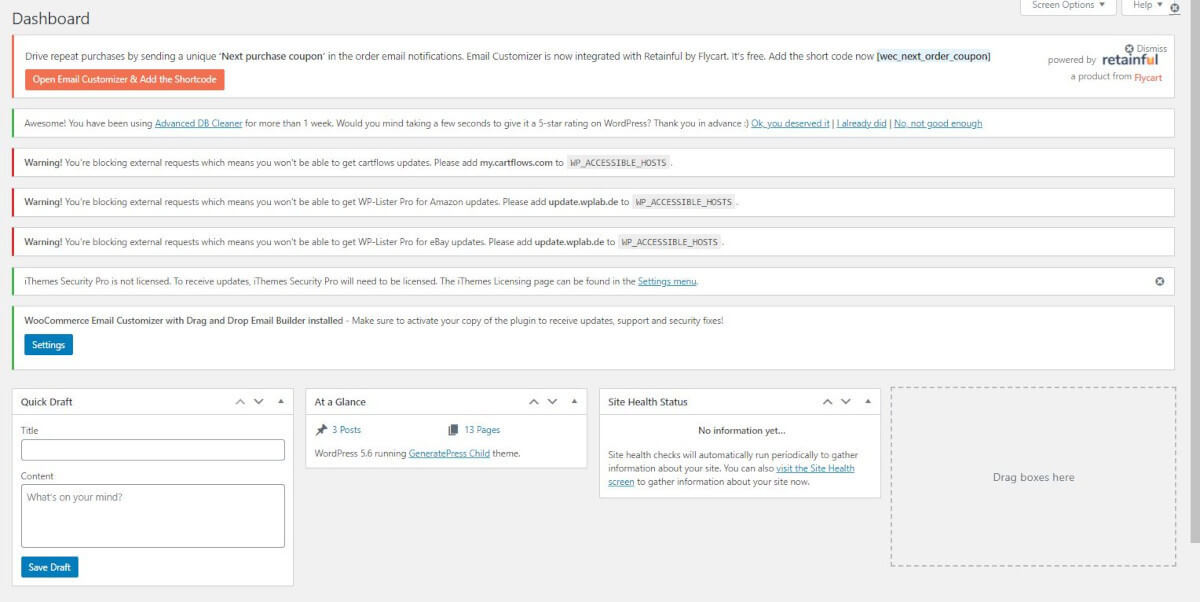
Premium plugins nag. “Activate your license.” “Your license is inactive.” One is fine. Ten of them stacked across the top of your dashboard, every single day, is not.
You can hide them, and nothing behind them needs your attention. My plugin or theme is not activating explains why.
What we use
Disable Admin Notices Individually, free from the WordPress.org plugin repository. It has been around for years and it does one job well. You hide notices one at a time, so genuine warnings from WordPress still get through.
Install it the usual way: Plugins → Add New Plugin, search for it by name, install, activate.
What it does to a dashboard
Before:
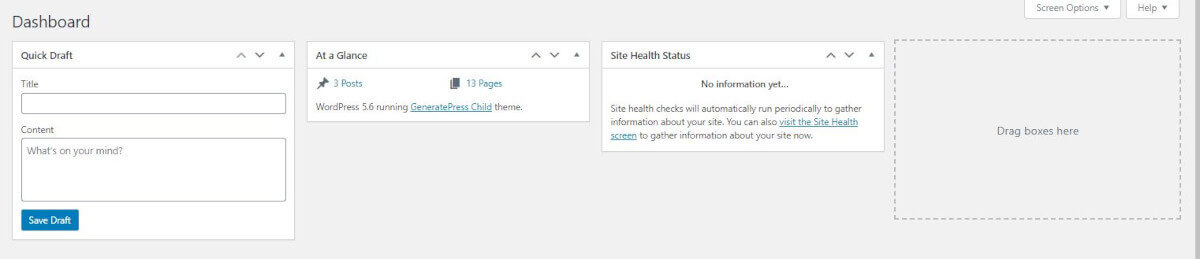
After:
How to use it
Once it is active, the plugin adds a link to each admin notice that hides that notice permanently. Click it on the ones you never want to see again. Its settings page keeps a list of what you have hidden, so you can bring any of them back later.
Hide the license nags. Leave the WordPress core update notices where they are.
Why they are safe to ignore
A license key from a plugin developer buys their support and their updates. It was never permission to run the software. Your plugin is working now and it will keep working whether you enter one or not.
The longer version is in Why are plugins and themes asking me for a license key?